The Shiftie integration with ICRTouch allows you to automatically sync daily sales data from your ICRTouch EPOS system into Shiftie.
Once enabled, sales data appears directly in your schedule view, making it easy to compare:
- Scheduled hours
- Actual labour costs
- Daily sales revenue
Integration features
After setup, the integration will:
1. Automatically import daily sales totals from ICRTouch
2. Display sales figures directly within the Shiftie schedule
3. Allow managers to compare:
- Labour cost vs sales
- Scheduled hours vs revenue generated
4. Integrate sales data into Shiftie reporting.
No manual imports or spreadsheet uploads are required once connected.
ICRTouch requirements
To help you integrate Shiftie with ICRTouch, you'll need an active ICRTouch account. Make sure your account includes the TouchOfficeWeb + module, as this gives you access to third-party integrations such as Shiftie.
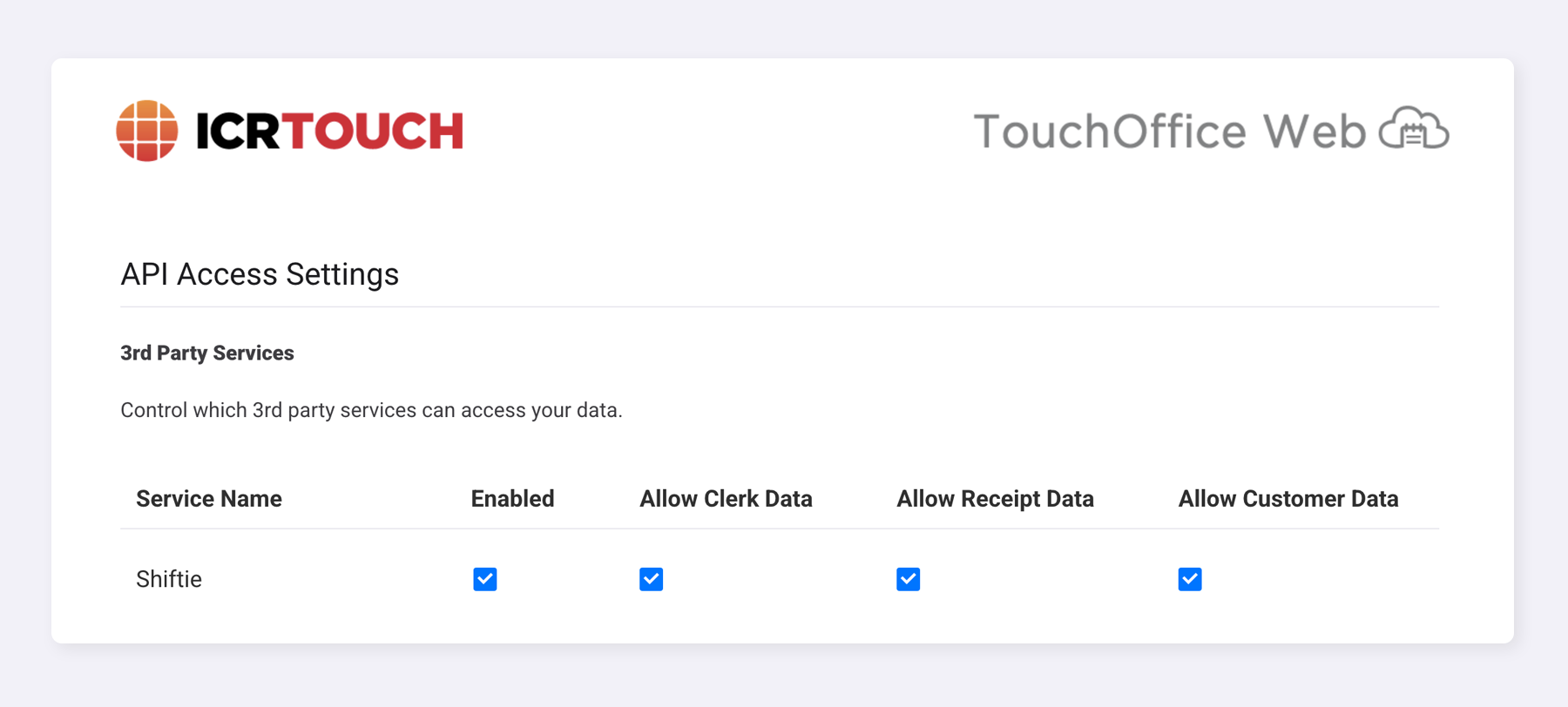
If you have the TouchOfficeWeb + module, please double-check that Shiftie is enabled as a third-party service.
Follow the steps below:
1. Log in to tillconfig.net using ICRTouch credentials
2. Select OfficeWebPlus from Services
3. Select API Access Controls
4. Tick all 4 checkboxes to the right of Shiftie
How to enable the integration
Follow the steps below:
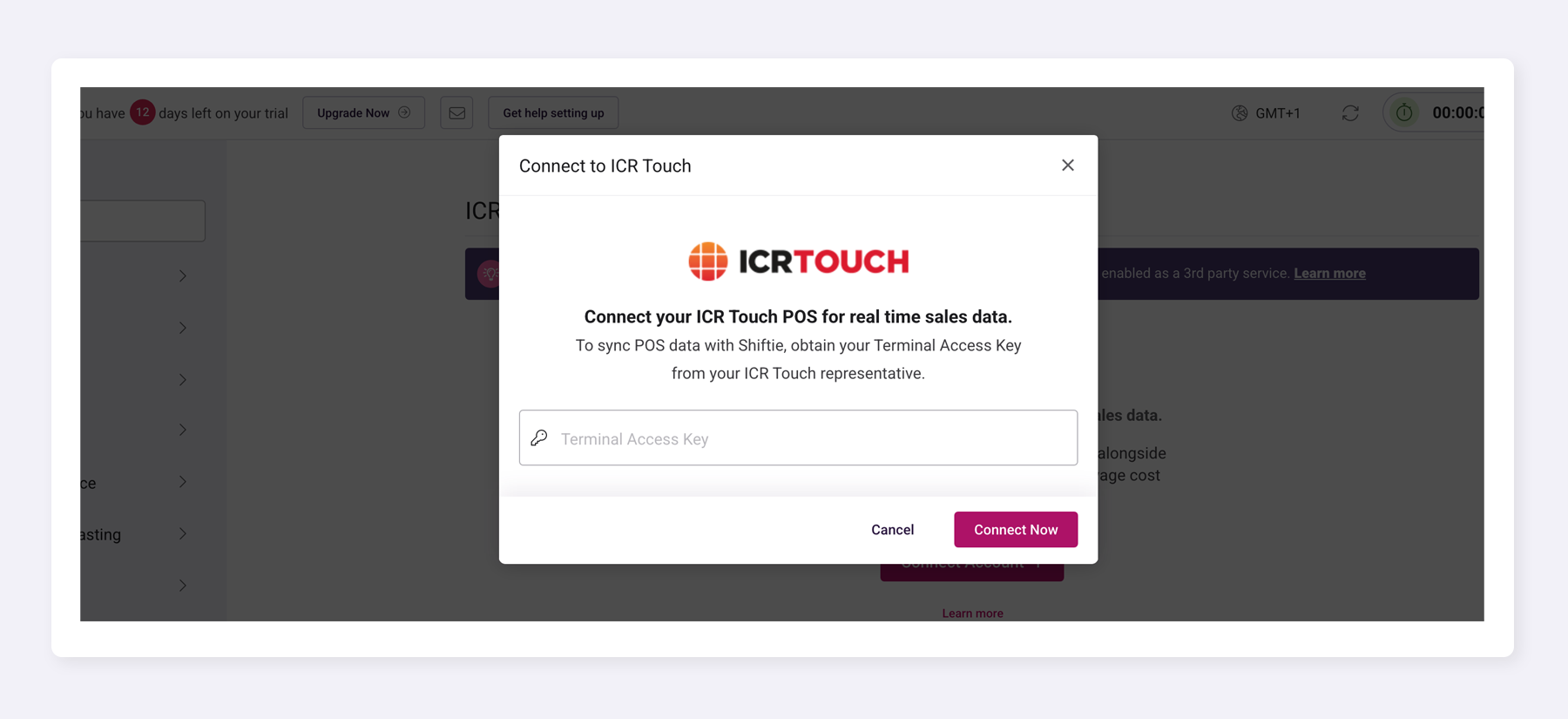
1. Log in to Shiftie
2. Navigate to: Settings > Integrations > ICRTouch
3. Enter your Terminal Key and click Connect Now.
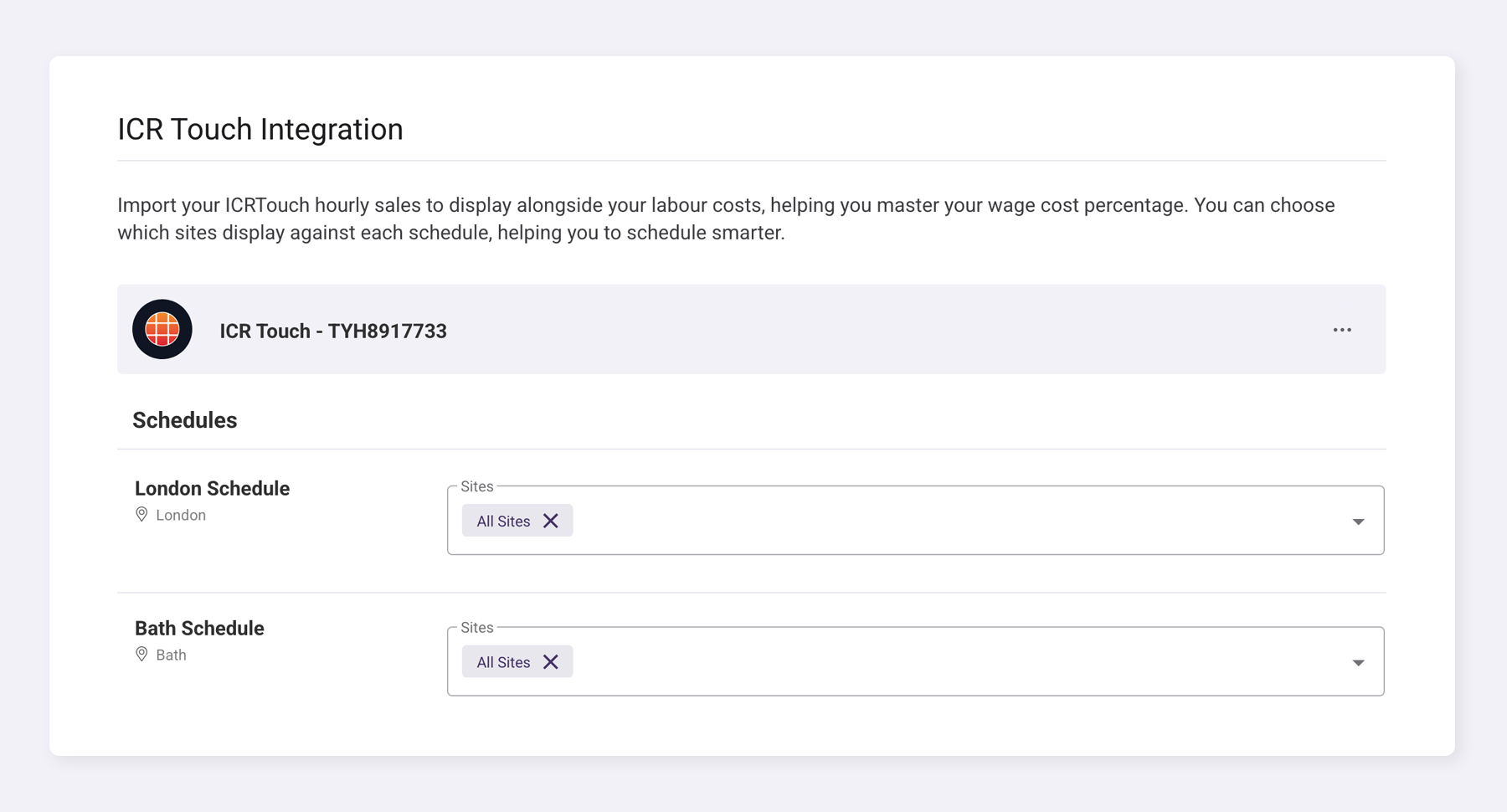
4. Map your schedules and sites together
5. Click Save Settings
How sales data appears in Shiftie
After activation:
- Daily sales totals will be visible within the schedule view
- Sales figures align with the relevant trading day
- Labour cost calculations continue to update in real time
- Managers can visually compare revenue against staffing levels
This gives immediate visibility of performance against cost.
Data sync & frequency
- Sales data syncs automatically every hour
- No manual refresh is required
Reporting
Sales data pulled from ICRTouch can be used within Shiftie reporting, allowing you to:
- Analyse labour cost percentage
- Track sales trends vs staffing levels
- Monitor performance over time
Troubleshooting
Sales data not appearing?
Check the following:
- Terminal Key has been entered correctly
- Integration is enabled under Settings > Integrations
- You are viewing the correct trading date
- ICRTouch is actively recording sales
If issues persist, contact Shiftie Support.
Was this article helpful?
That’s Great!
Thank you for your feedback
Sorry! We couldn't be helpful
Thank you for your feedback
Feedback sent
We appreciate your effort and will try to fix the article