Leave types control the different kinds of leave that employees can request. In its simplest form, this could just be annual leave. However, leave types can accommodate as many different kinds of leave as necessary.
Some other examples include:
- Sick / Absences
- Paternity / Maternity / Parental
- Compassionate Leave
- Study Leave
- Unpaid Leave
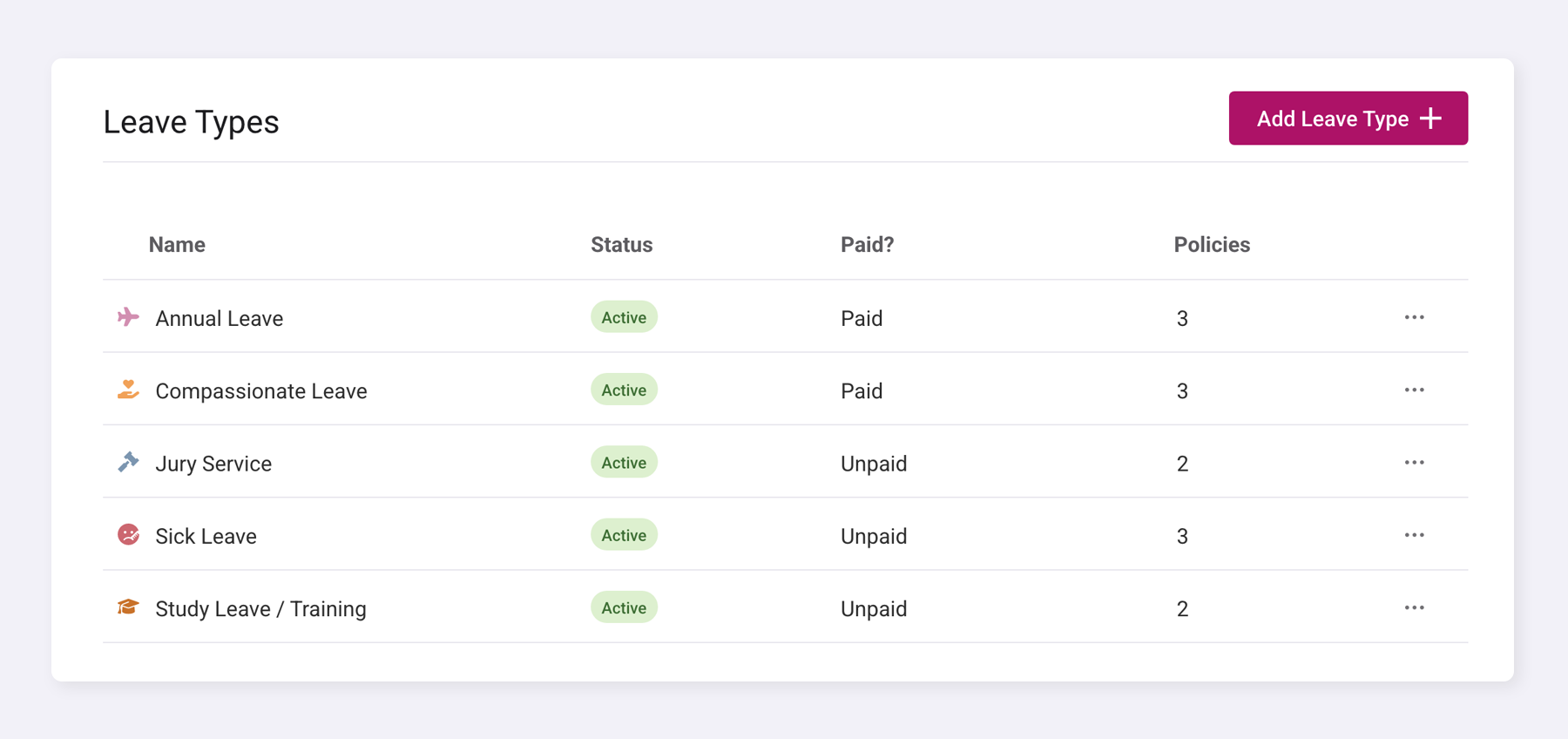
Add a leave type
Go to Company Settings > Time Off > Leave Types.
When creating a leave type, you can define the entitlement for the specific leave type.
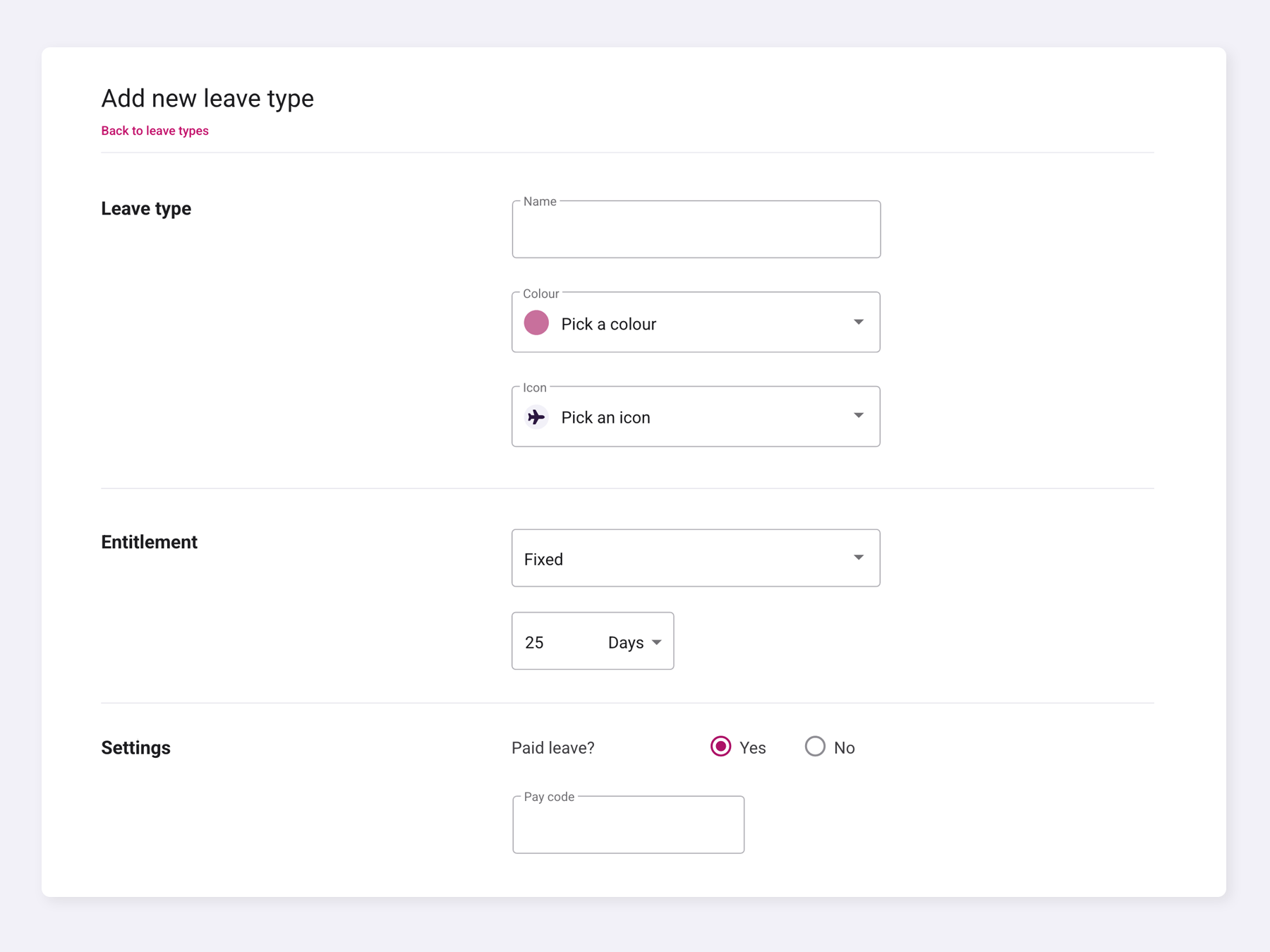
Leave types can have different types of entitlements to ensure all staffing needs are covered.
Fixed: A fixed entitlement allows you to define a set number of days or hours of this leave type that an employee receives per year.
Unlimited: An unlimited entitlement allows an employee to take an unlimited amount of the specified type of leave.
Deducts from Another Allowance: This entitlement allows you to specify whether this leave type uses some of the entitlement from another leave type, such as study leave deducting from the annual leave allowance.
Per Hour Worked: A per-hour worked entitlement allows this leave type to accrue based on the number of hours an employee works and has approved. With this entitlement, you can set the accrual rate as a percentage per hour and specify whether it is limited to a certain number of days or hours.
Was this article helpful?
That’s Great!
Thank you for your feedback
Sorry! We couldn't be helpful
Thank you for your feedback
Feedback sent
We appreciate your effort and will try to fix the article